
⚡ iFrpfile All In One Tool v2.8.6 AIO Download iCloud Bypass Latest (All Version) Free
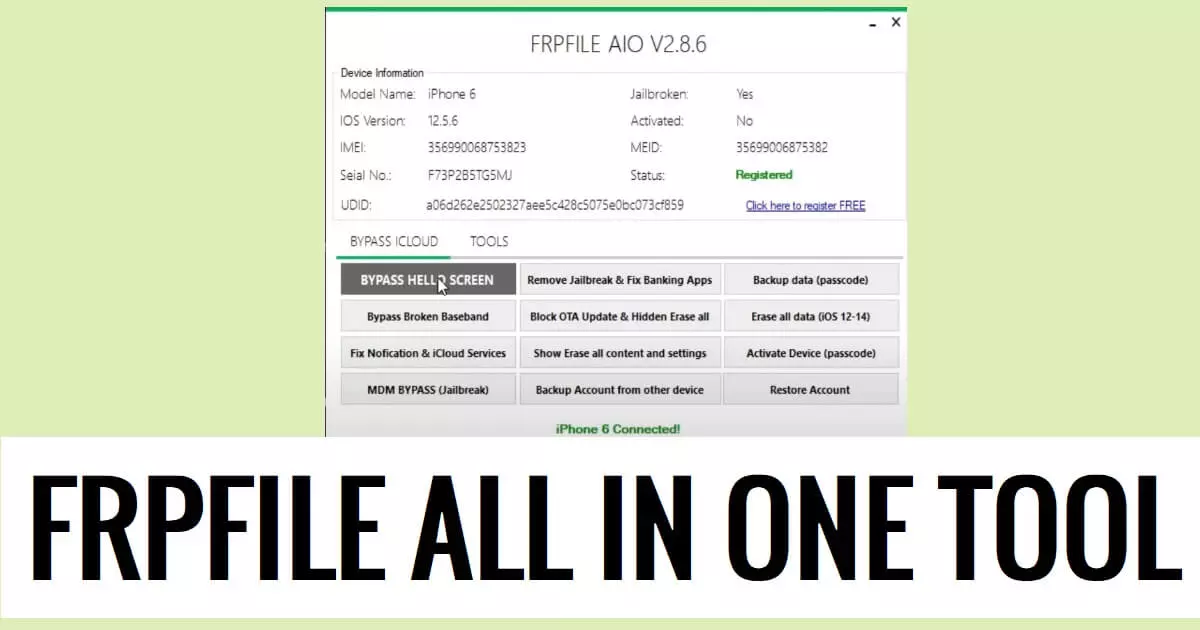
iFrpfile All In One iCloud Tool is a free utility to bypass iCloud and MDM locks, backup data, factory reset, and fix notification locks.
So, if you want a hassle-free solution to bypass iCloud lock from your Apple iPhone or iPad, then Download iFrpfile All In One AIO Tool V2.8.6 latest version on your computer & follow these steps to Register Serial number to fix the phone easily.
Download iFrpfile All In One Tool v2.8.6 AIO Latest (All Version)
Download iFrpfile All In One iCloud Tool V2.8.6 latest Version from here.
It is exclusively available on Windows computers and you no need to activate, or credit in order to use the tool with your Android phone.
iCloud Activation Lock is a security feature on Apple iOS devices that prevents unauthorized access. To remove this lock without the previous owner's assistance, you can use the iFRPFile AIO Tool, which works on iOS 12.0 to 14.8 and is compatible with Windows OS (7, 8, 10, 11, 32/64-bit). The process involves jailbreaking the device, running the tool, and registering your PC. After connecting the device in DFU Mode, select the desired option, and the tool will detect and unlock the phone, completing the process.
How to use Frpfile AIO Tool (Register Serial)
- Download & extract iFRPFile All in One tool to your Computer.
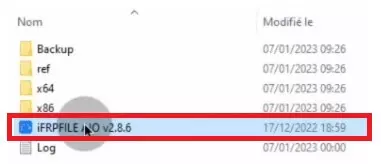
- Now Run “ifrpfileTool.exe” as Admin
- Now the tool will open
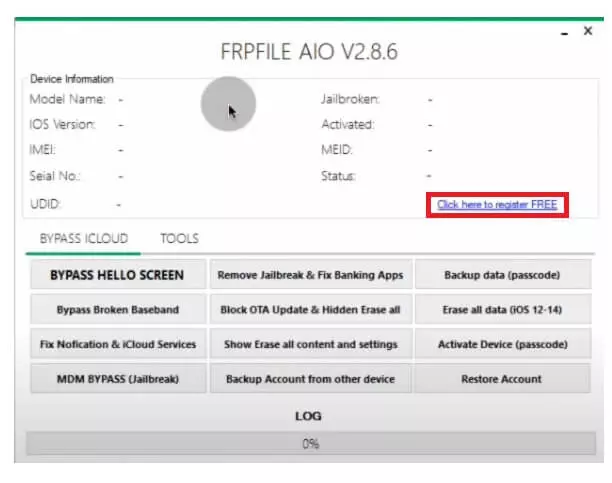
- After that, click on “Click Here to Register Free”
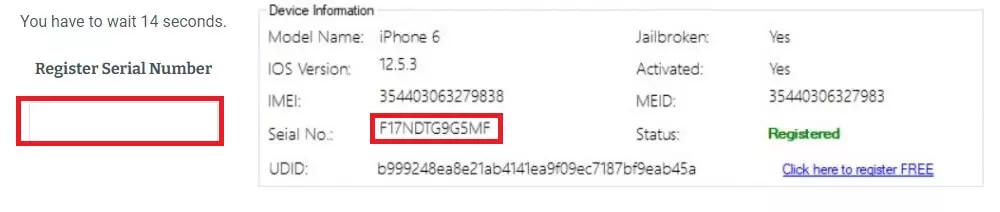
- The Registration page will open, Type the Serial Number
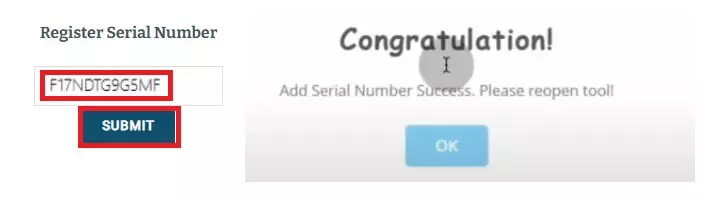
- Click Submit
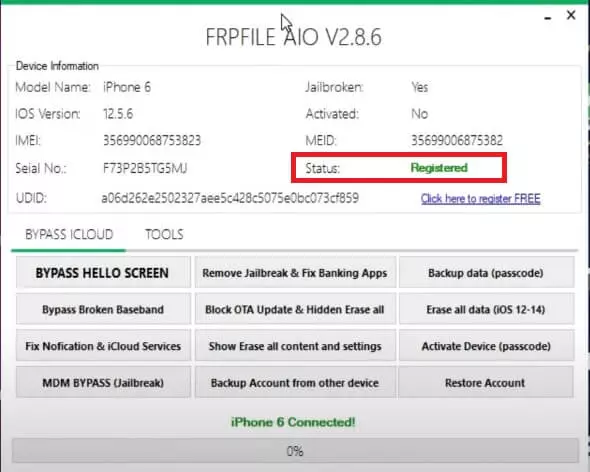
- Now you have to wait for a few hours to activate the tool successfully
- Once activated, you can see the Registered message on the tool
- Now you can use the below-listed functions
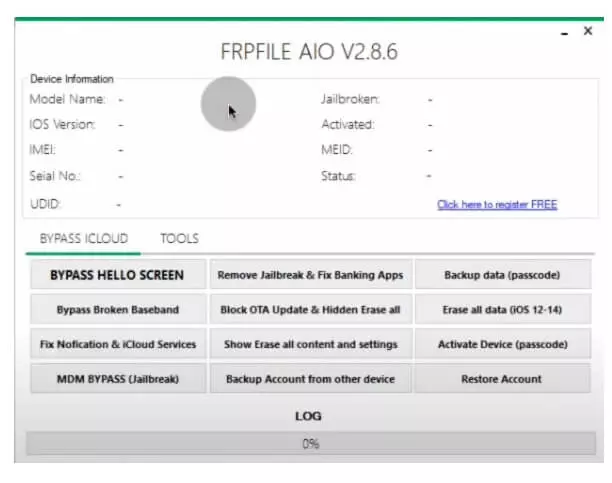
Bypass iCloud:
- Bypass Hello Screen || Remove Jailbreak || Fix Banking Apps
- Broken Baseband Bypass || OTA Update Block || Hidden Erase All
- Erase All Data (IOS 12- 14) || Notification Fix || iCloud Bypass
- Erase Settings || Erase All Data || Activate Device || Passcode Bypass
- MDM Bypass Jailbreak || backup device || Restore Account
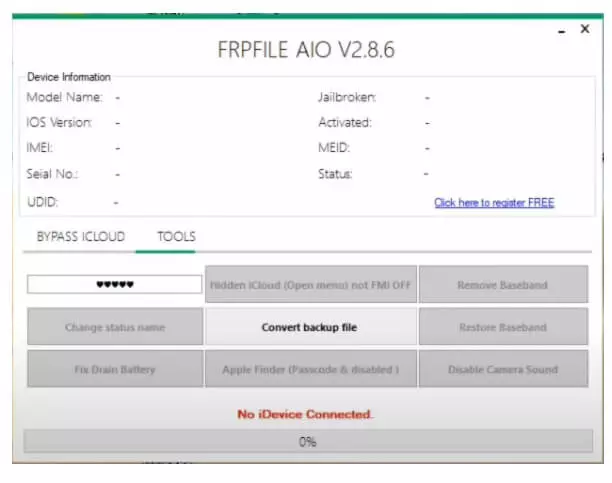
Tools:
- Hidden iCloud (Open Menu) Not FMI off || Remove FMI || Change Status Name
- Convert Backup File || Restore Baseband || Fix Drain Battery || App Finder
- Camera Sound Disable
- First Select the Tab
- Then select the function you want to use
- Click on Start
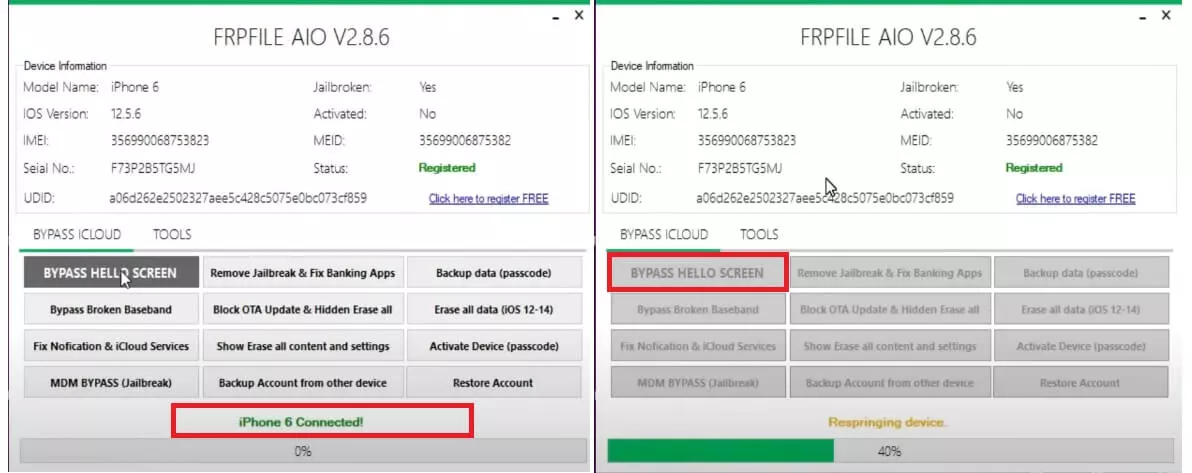
- Then Connect your phone according to it
- Make sure, you have jailbroken the phone
- Check the tool will detect the phone
- The unlocking process will begun
- Wait for a few seconds

- It will restart your phone to the normal mode
- That’s it.